caic
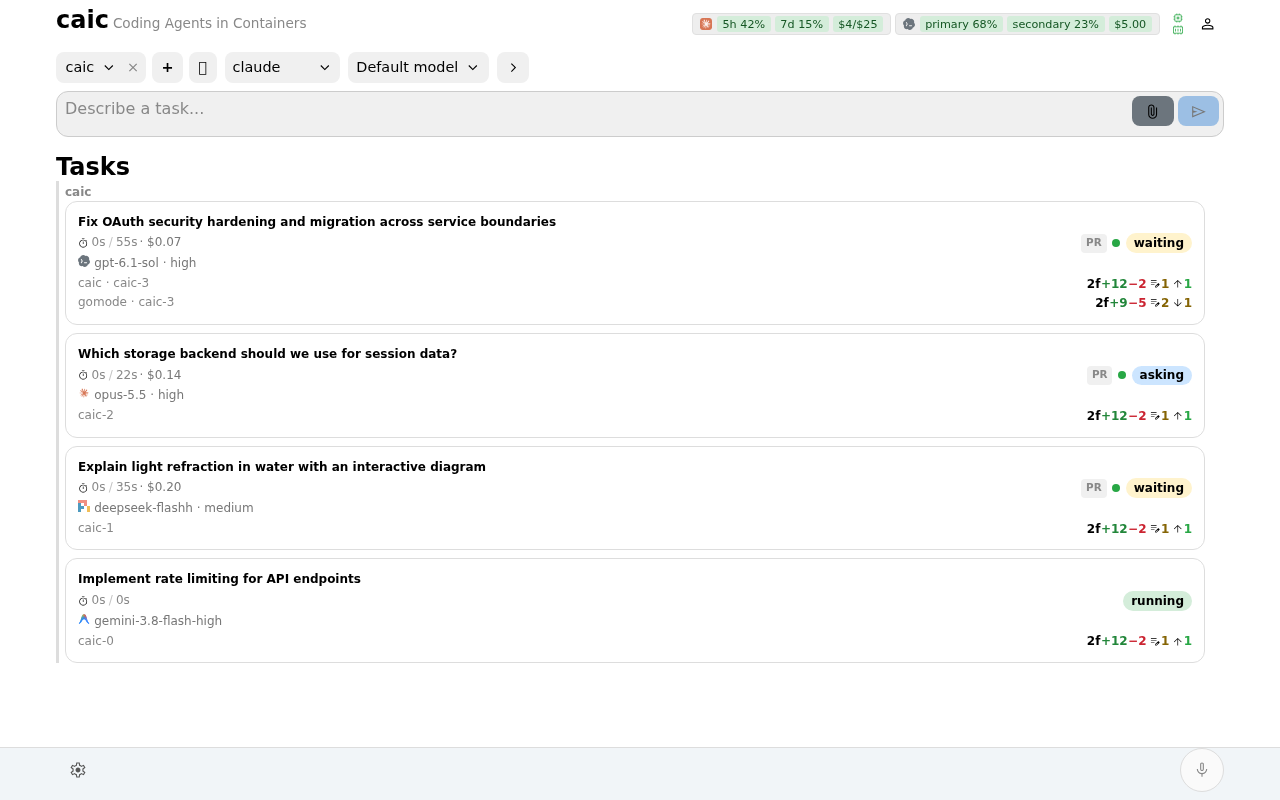
caic runs coding agents in parallel on your own machine. Each task gets an md container with its own repository copies. The web app gives you one place to create tasks, follow the work, review changes, and continue the conversation.
Start with a task
Install caic, set your repository root in Configuration, then open the dashboard. Choose repositories, a harness, a model, and a prompt. caic prepares the workspace and streams the agent's output as it works.
What you can do
- Run Claude Code, Codex, OpenCode, or Pi. Experimental Antigravity support uses the
agyCLI. - Choose Docker or Podman for new tasks and work across multiple repositories.
- Follow streamed output, tool calls, native subagents, structured questions, and plans.
- Review commits and file diffs, preview documents, media, and CAD models, and inspect task usage, machine health, and server metrics.
- Push changes with GitHub or GitLab integration and follow CI.
- Revive or fork retained work, including after a quota limit or failed session.
- Use a desktop or mobile browser, voice, MCP access, or the separate Go Mode Android shell.
caic runs on Linux, macOS, and Windows through WSL2. The server is a single Go binary with the web app included.
Choose your next step
| Guide | Use it to |
|---|---|
| Installation | Install, verify, and run the server |
| Task workflow | Create, steer, review, and push a task |
| Recovery and handoffs | Continue retained work or change harnesses |
| Configuration | Set repositories, runtimes, storage, authentication, and voice |
| Security | Understand shared state, credentials, and network exposure |
| Architecture | Understand task lifecycle and restart recovery |
Repository copies stay separate, but harness state, caches, and configured host mounts can be shared. Read Security before exposing the server or adding writable host mounts.
Getting help
Report issues at caic-xyz/caic, or join the community on Discord. Include your caic -version output and the error message.